Properly handle Git flow

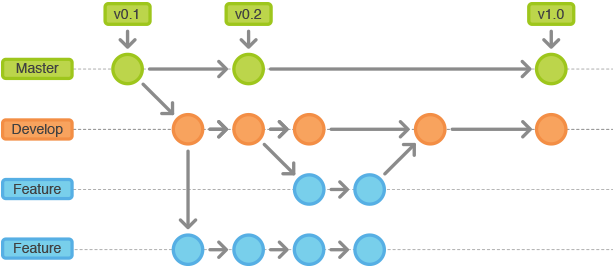
Any developper use or will use Git at a point in is career. Most of the time they will have to work with other people on the same Git repository. To avoid it to be branch and commit battlefield here is a simple guide on how to contribute properly on a Git repository.
Basics
First of all, the Git repository should have a default branch often called master or main (it may be anything else as long as everyone agree on the name).
Secondly, a second branch used for development purpose. This one will follow the default branch pretty closely. It will be a receptacle for any new development. This branch is the only one allowed to be merged on the default branch.
Finally, all other branch fall into the last category. They are features, bugs fix and other.
Note : Only HotFix branches are allowed to bypass the development branch.
Here is an example of a simple Git repository
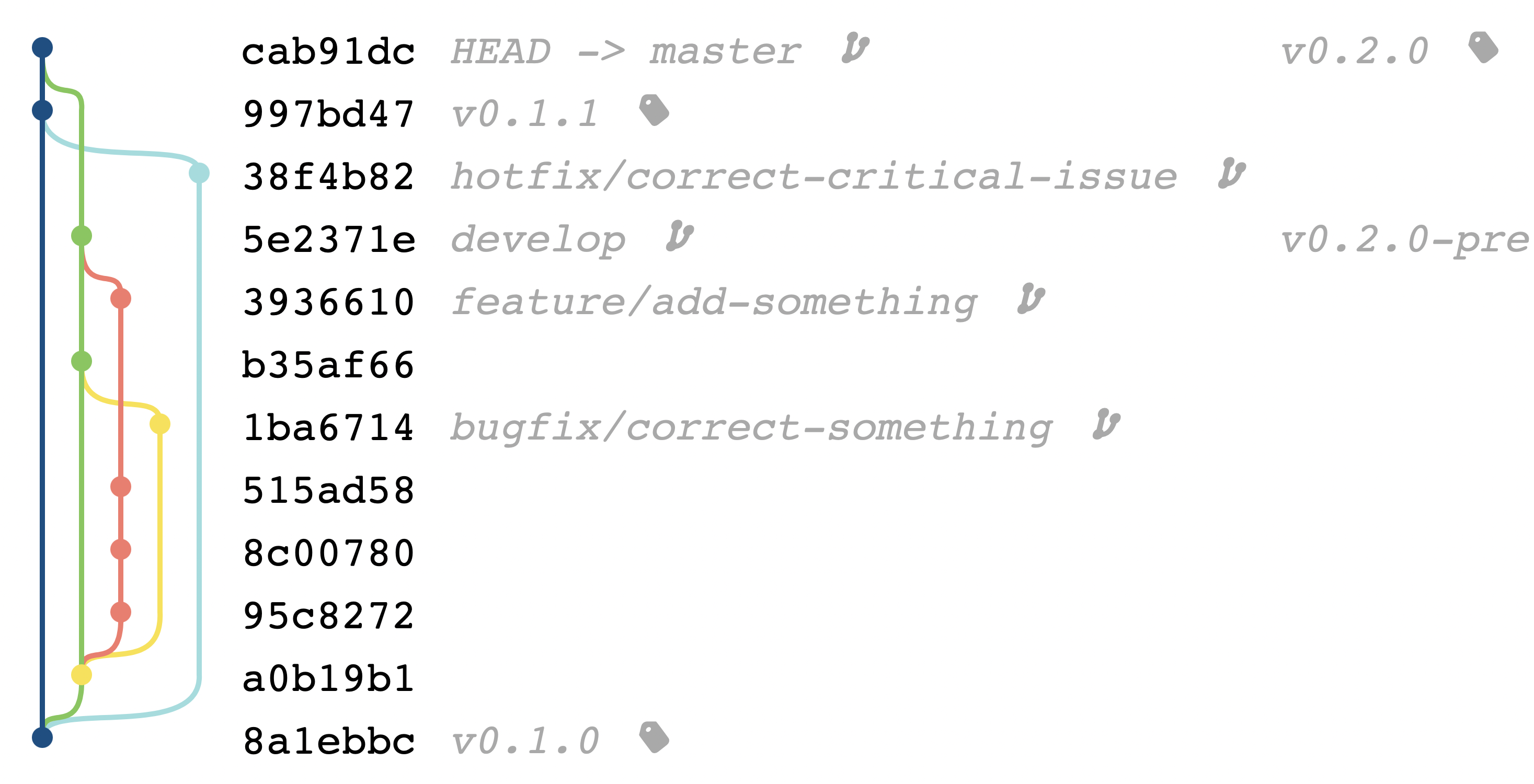
Full example of a repository lifecycle
Initializing a repository
The first thing to do when creating a new repository, is to initialize the base structure.
Create the Git repository :
mkdir -p myrepository

cd myrepository

git init
You may want to create your first files. Like the README.md/.gitignore and some package file like package.json or pom.xml.
Then create the initial commit of the repository with those files :
git add .
git commit -m "Initial commit"
git tag v0.0.0
Finally create the development branch :
git branch develop
The repository should looks like :

Initializing the development branch
Now that you have ou base structure on the Git repository, it's time initialize the development branch.
First checkout to the development branch :
git checkout develop
Sometimes you may want to add an initial commit on the development branch with the modification of the current version in your package file package.json, pom.xml or other.
Edit thoses files then create a commit :
git add .
git commit -m "Prepare development version"
The repository should looks like :

Add the first feature
Now let's create the first feature in our application.
Verify that your are on the development branch :
git branch
Result :
* develop
  master
If not checkout on the development branch.
Then checkout to a feature branch :
git checkout -b feature/my-first-feature
Now write the feature and do commit from time to time with :
git add .
git commit -m "save dev"
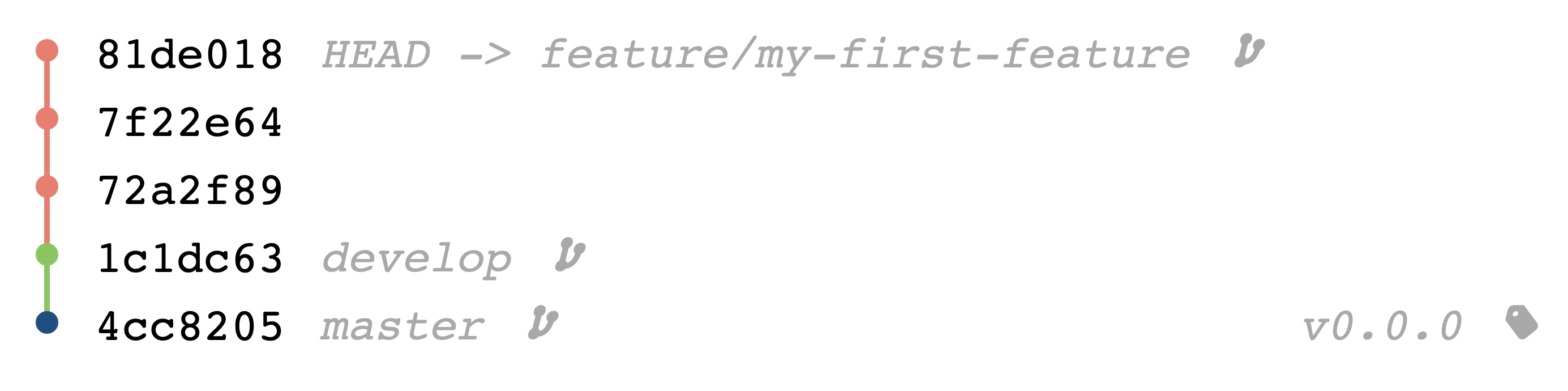
The repository should looks like :
Work on a required feature
You where working on the first feature but you realize that you needed another one to continue.
/!\ Make sure that you don't have any unstaged changes before switching branches
Reproduce the same commands as for the first feature :
- Checkout to the development branch
- Then checkout to a feature branch
- Write your code and create commits
git checkout develop
git checkout -b feature/my-required-feature
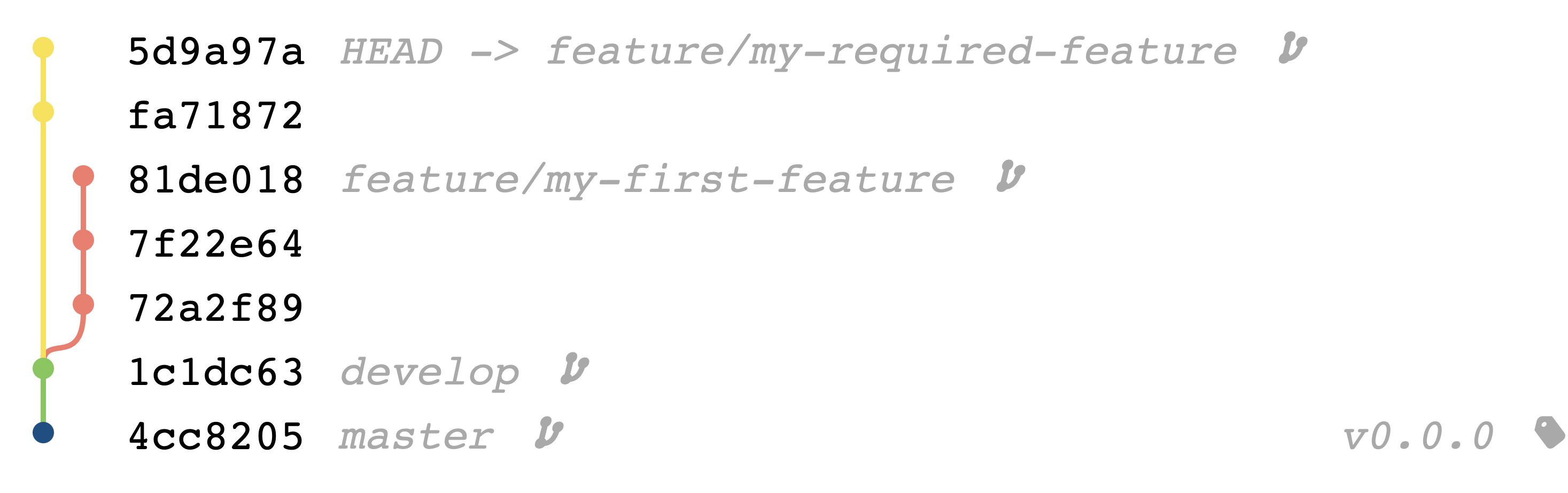
The repository should looks like :
Merging the required feature
Now that you have finished your work on the required feature comes the time to merge the code to the development branch.
First you need to rebase the branch to remove all unecessary commits :
git rebase -i develop
The first commit should always be picked. All other commits can be squashed.
pick fa71872 save dev
squash 5d9a97a save dev
The repository should looks like :
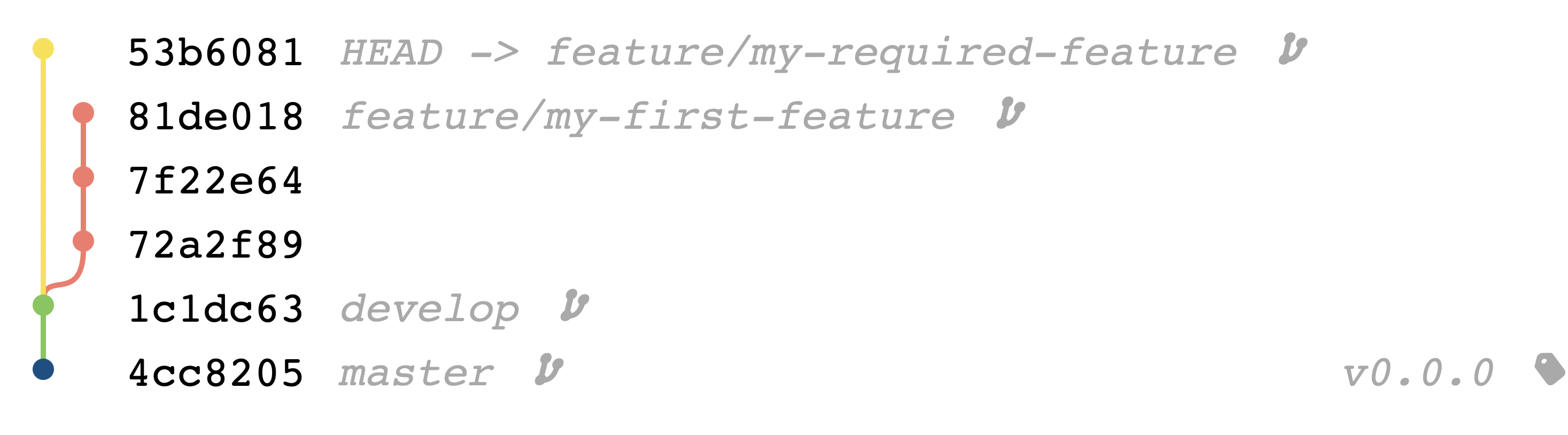
Checkout to the development branch and merge the require feature branch :
git checkout develop
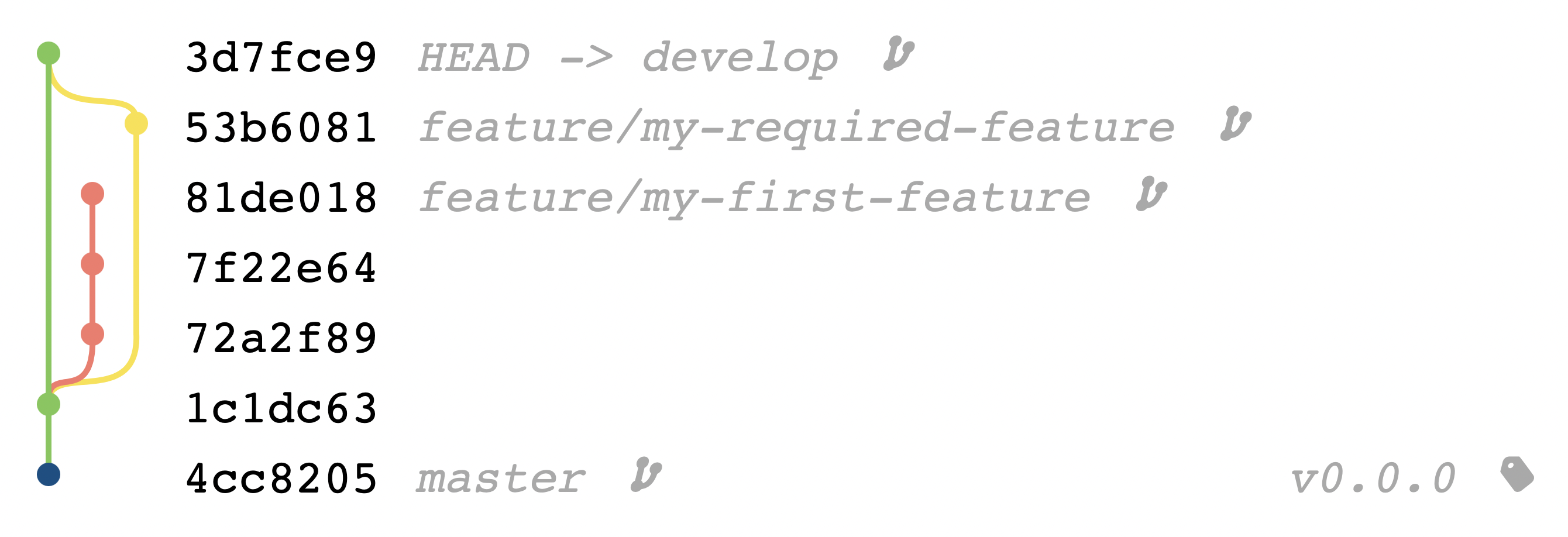
git merge --no-ff feature/my-required-feature
The repository should looks like :
Continuing the work on the first feature
Now that you have finished the required feature, you want to rebase your current work on the first feature to retrieve the content of the required feature.
- Checkout to the feature branch
- Rebase it on the developement branch
git checkout feature/my-first-feature
git rebase develop
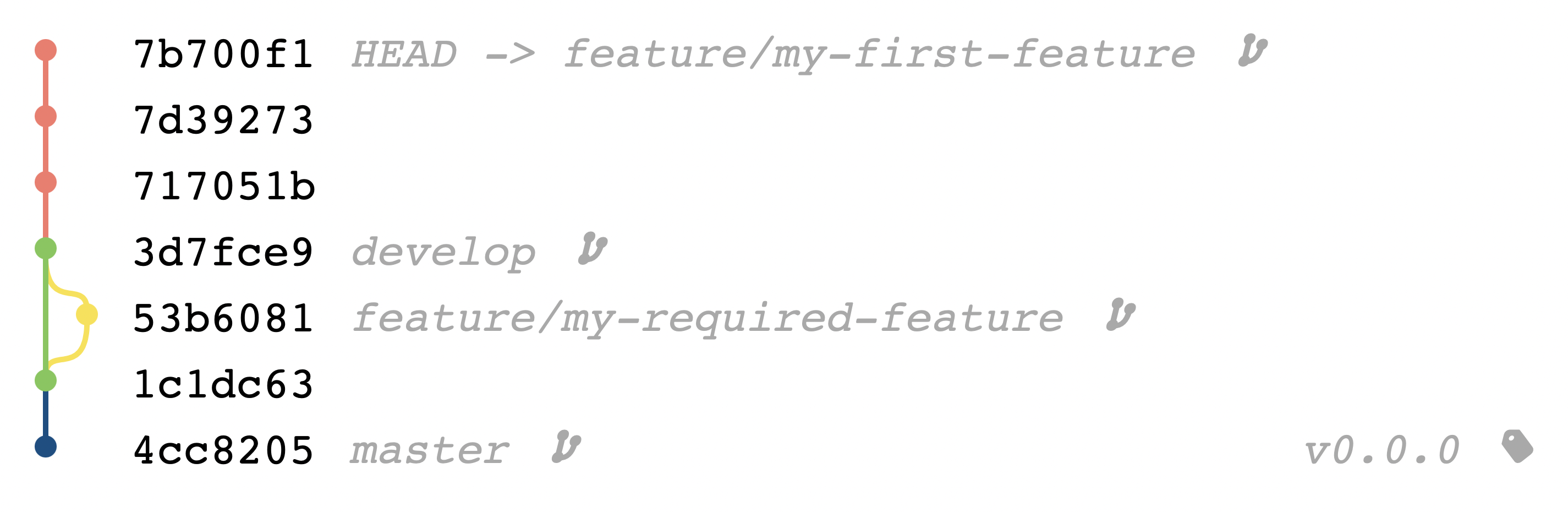
What this command is doing is taking all the commit from the feature branch and apply them at the end of the developement branch.
The repository should looks like :
Merging the first feature
Now that you have finished your work on the first feature comes the time to merge the code to the development branch.
First you need to rebase the branch to remove all unecessary commits :
git rebase -i develop
The first commit should always be picked. All other commits can be squashed.
pick 717051b save dev
squash 7d39273 save dev
squash 7b700f1 save dev
The repository should looks like :
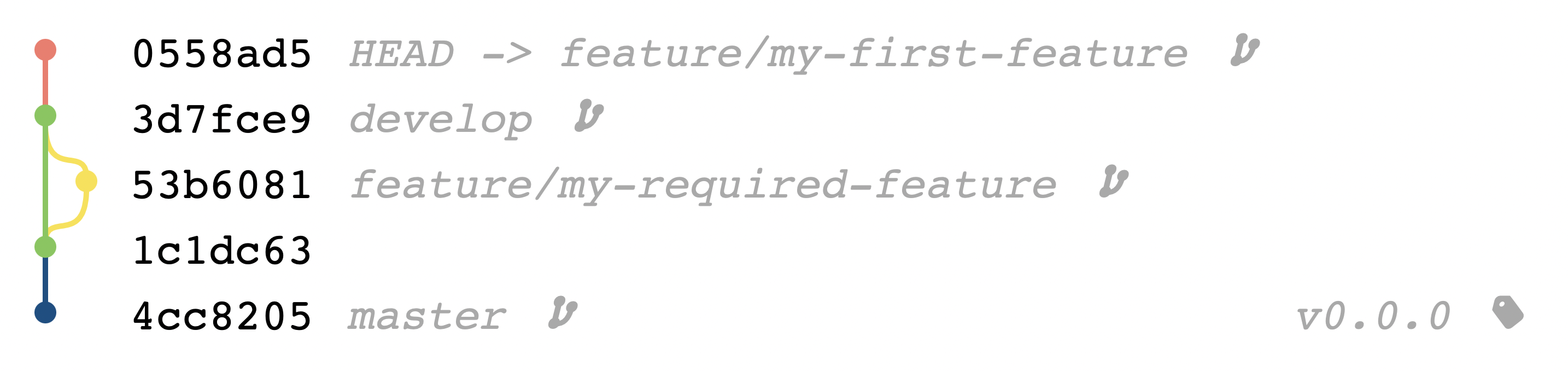
Checkout to the development branch and merge the require feature branch :
git checkout develop
git merge --no-ff feature/my-first-feature
The repository should looks like :
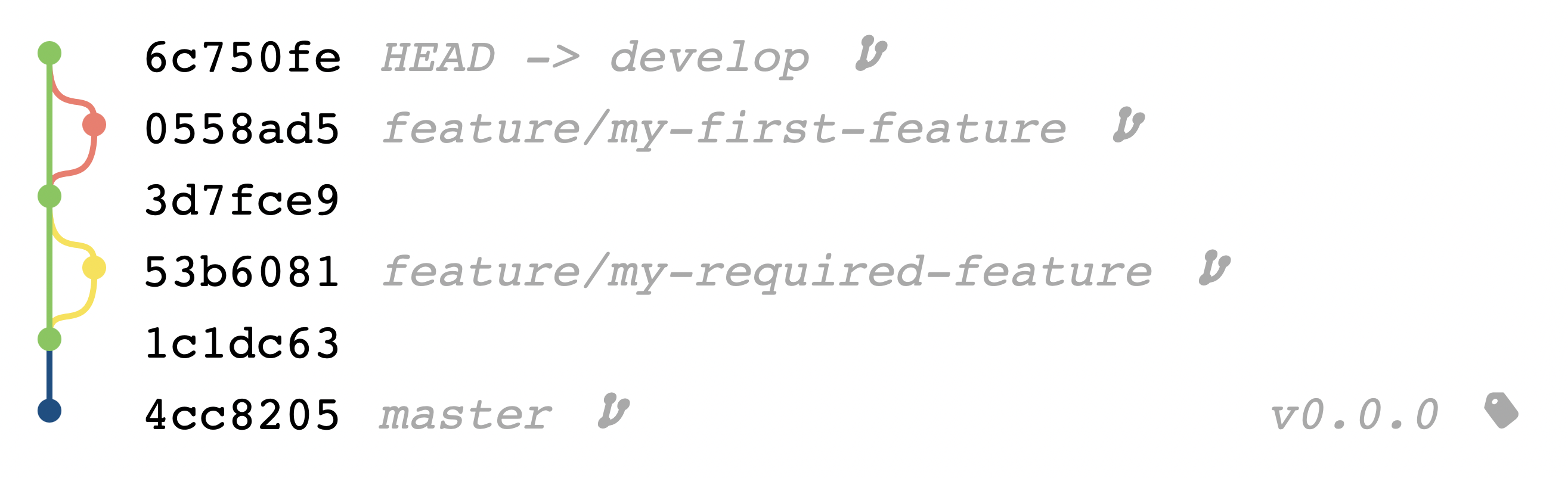
Hotfix critical issue
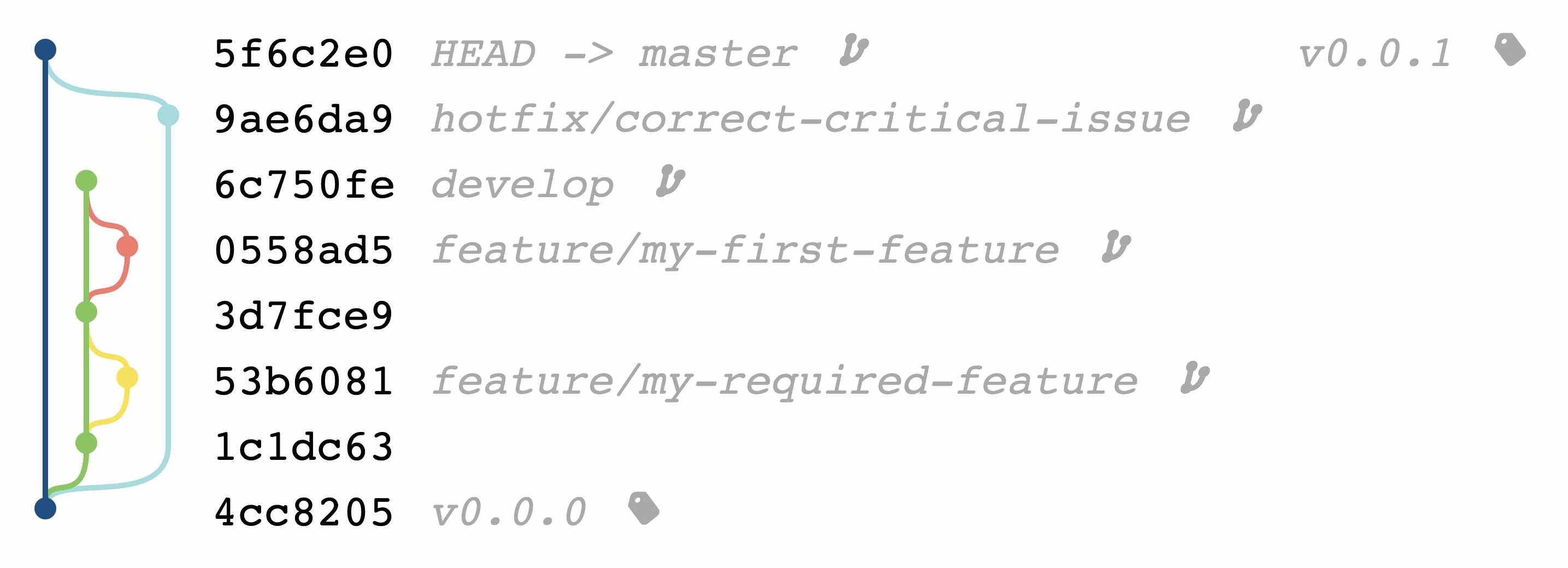
A critical issue have been discovered on the production application an you need to quickly produce a patch. You don't have the time to go through all the release process.
- Checkout from the default branch
- Create a new hotfix branch and checkout to it
- Make the correction
- Merge into the default branch
- Tag your new release
The repository should looks like :
Releasing your work
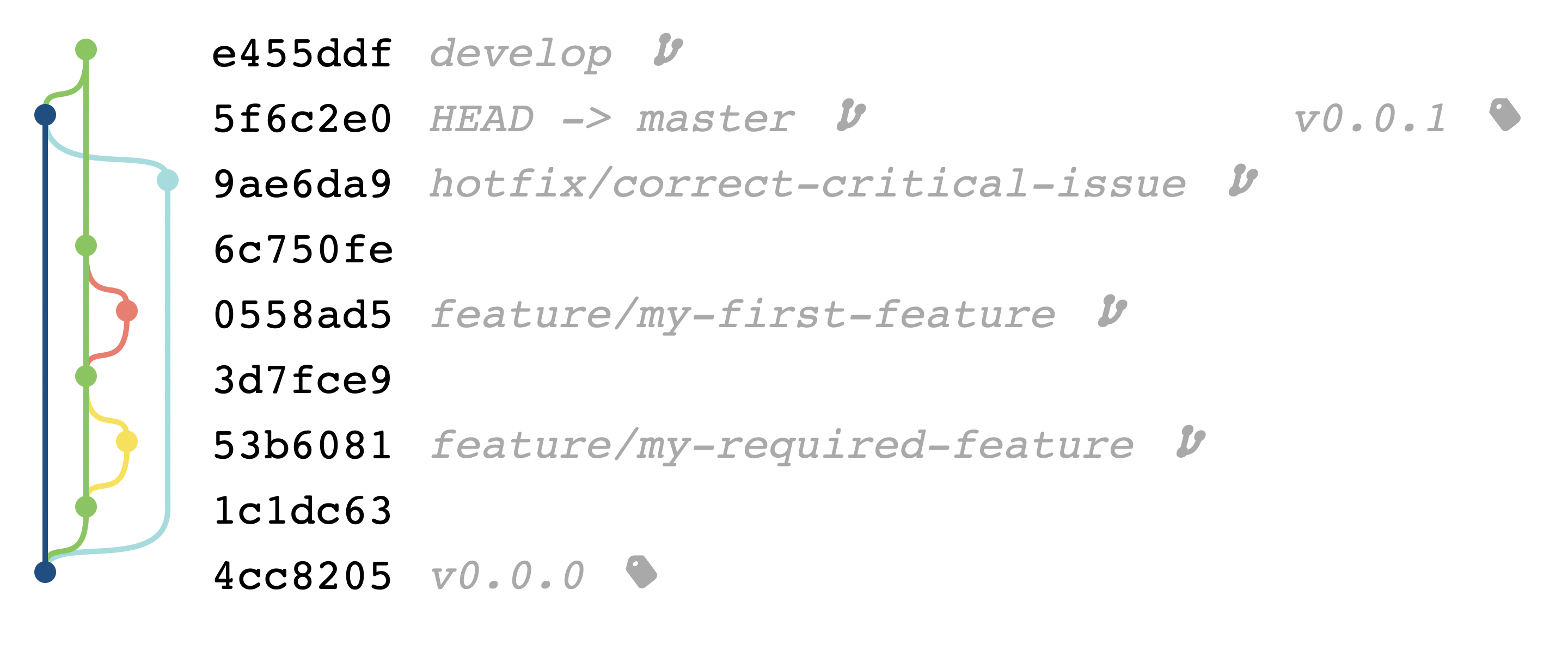
It's now time to release all that hard work.
First you need to merge the default branch to retreiv all hotfix corrections.
git checkout develop
git merge --no-ff master
The repository should looks like :
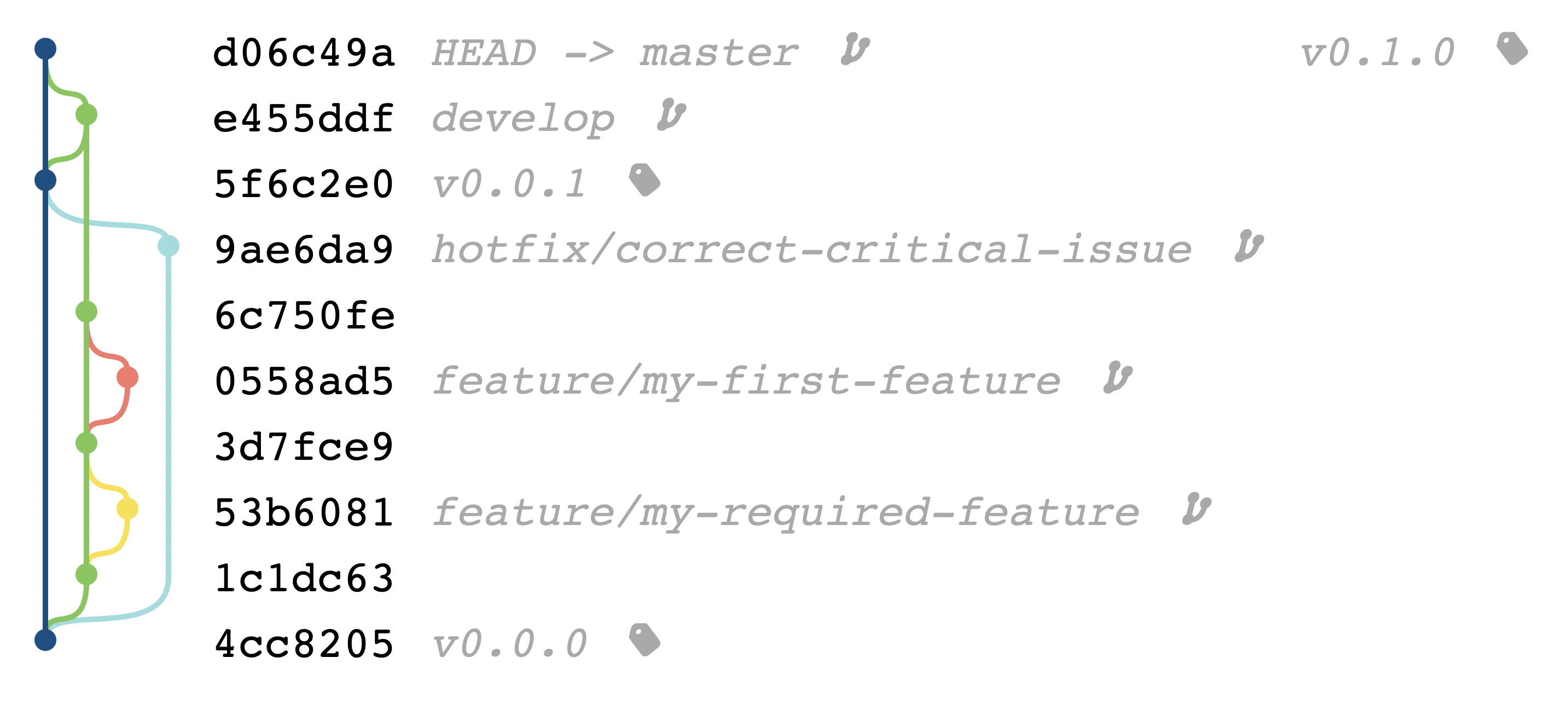
And finaly, merge your development on the default branch.
git checkout master
git merge --no-ff develop
The repository should looks like :
Cleanup
Let's do some cleanup by removing some unused references like feature and hotfix branches.
git branch -D feature/my-first-feature
git branch -D feature/my-required-feature
git branch -D hotfix/correct-critical-issue
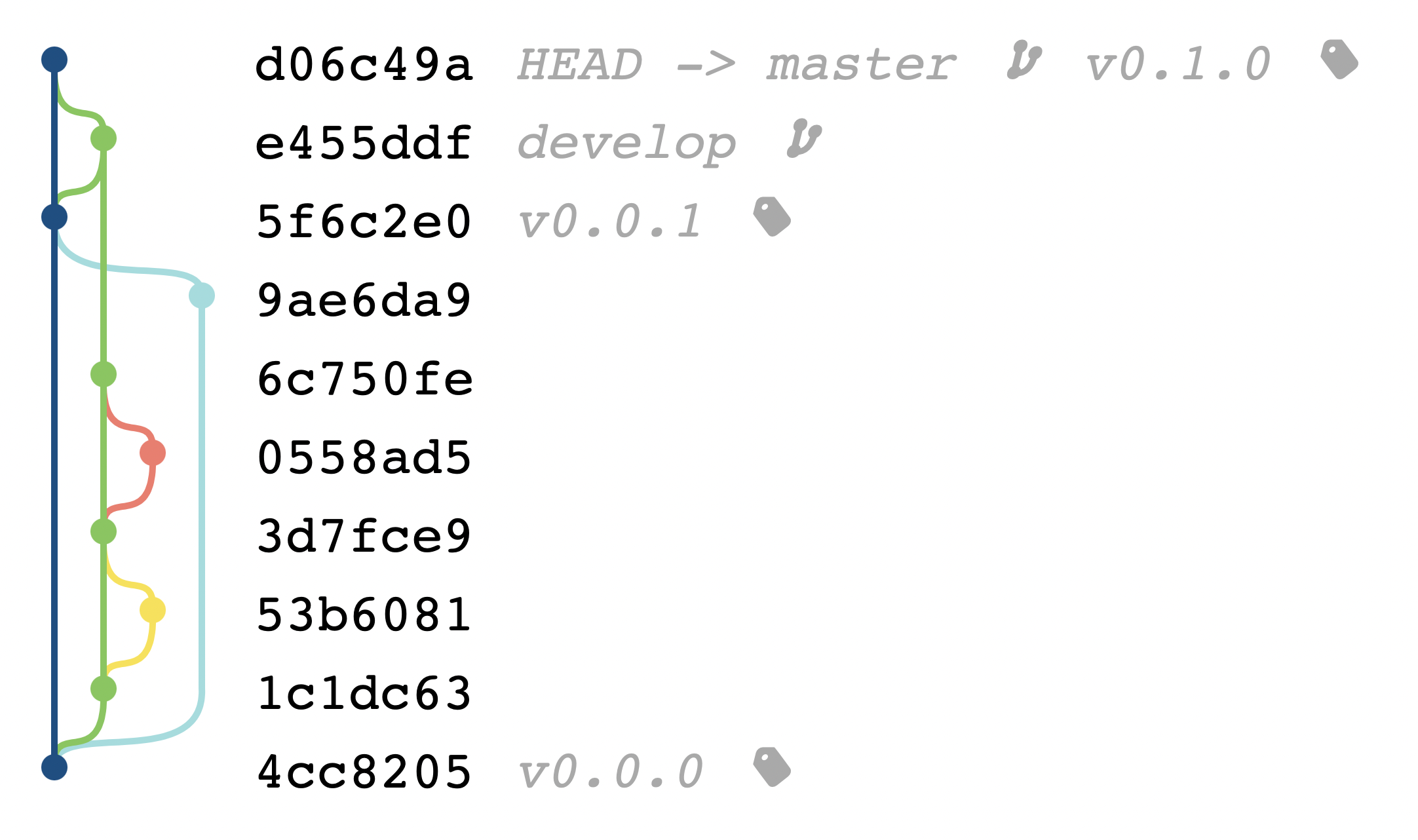
The repository should looks like :
Notes
All Git graph have been generated with Bit-Booster app